

Where company news actually comes from
When a listed company wins a big order, changes its CEO, raises money or gets a rating cut, it is required to tell the stock exchange. Not the newspaper. Not a TV channel. The exchange, first, in writing.
That written notice is called an announcement, or a filing. NSE and BSE publish every one of them the moment they arrive.
This matters for one reason. It is the earliest and the most accurate version of the news you will ever get. The article you read the next morning was written from it. The tweet that moved the stock was someone's summary of it.
If you want to know what is happening at a company, this is the source.
The problem with reading them
There are two.
First, volume. On a normal day the exchanges publish several hundred announcements. Most are routine: a trading window closing, a board meeting date, a copy of a newspaper notice. The few that matter are mixed in with the rest.
Second, titles. Filings are named by regulation, not by content. "Announcement under Regulation 30". "Intimation". "Disclosure". The title tells you a filing exists. It rarely tells you what is inside.
So people do one of two things. They read every filing from a few companies they own, which stops working past a dozen. Or they wait for someone else to notice, which means they are last.
Announcement Scans is a third option. You describe the kind of news you want. It reads the filings and brings you the ones that match.
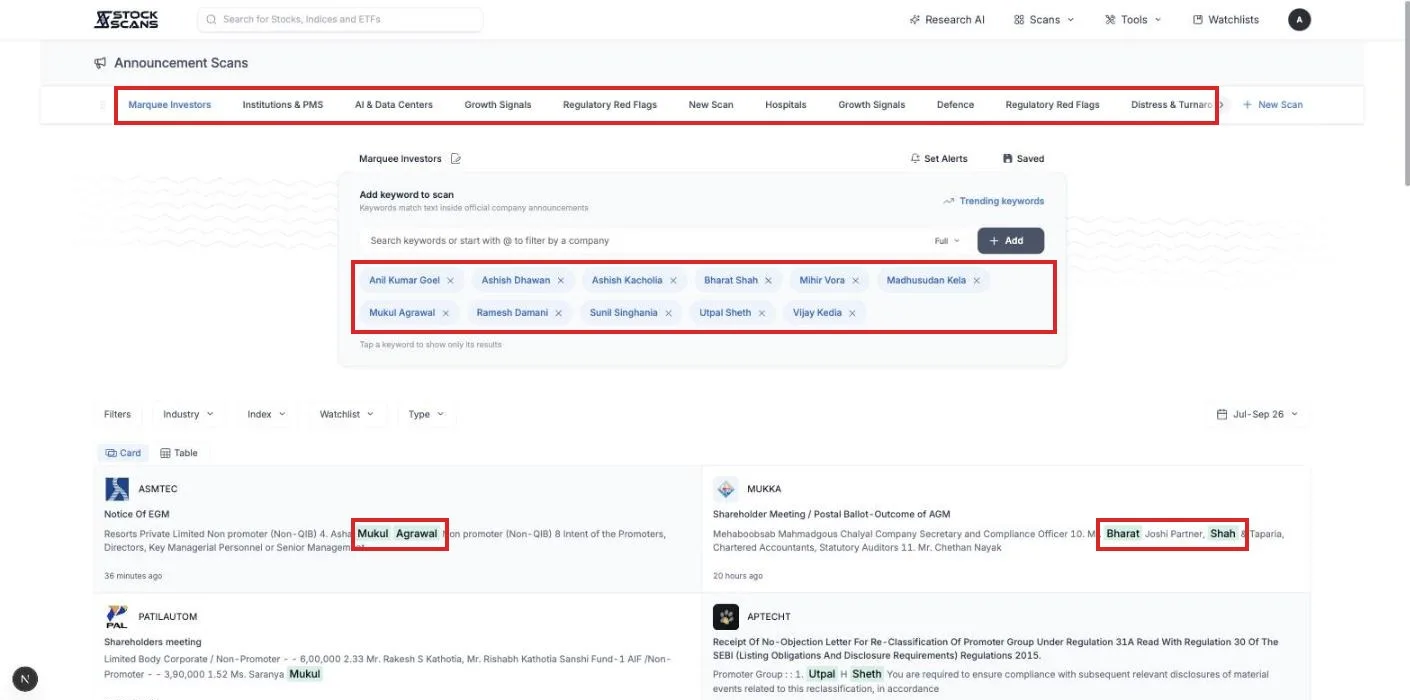
Your first two minutes
Open Scans in the top menu and choose Announcement Scans. You do not need an account to try it.
There is one box on the page that matters. Type a phrase a company might use in a filing. order win is a good first one. Press Add.
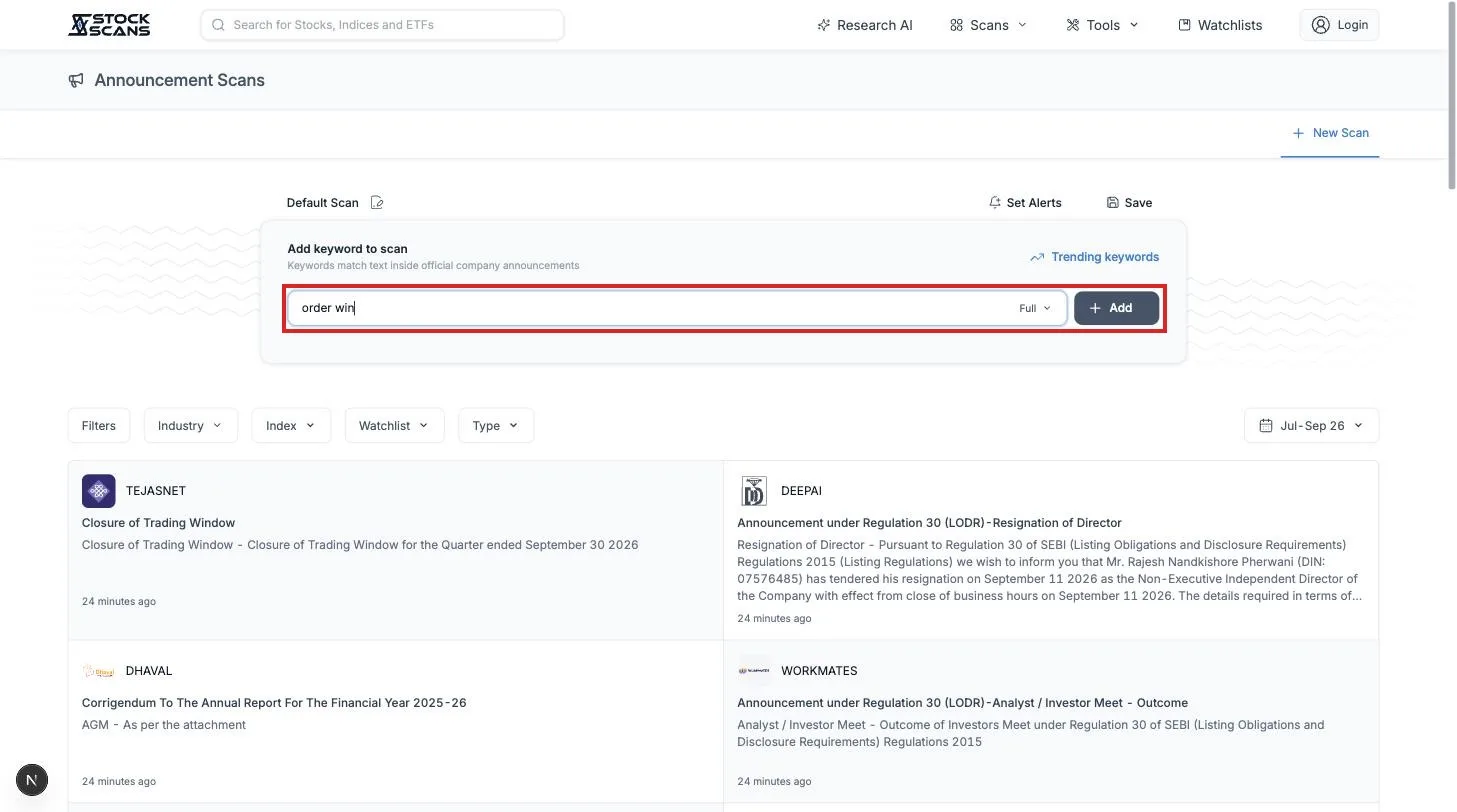
A list appears. Each card is one filing that contains your phrase, newest first. Instead of the title alone, the card shows the sentence where the phrase appeared, with the words highlighted. You can tell what the filing is about without opening it.

Click any card. The full document opens, already turned to the right page, with your phrase highlighted. A panel on the side lists every page where it appears.
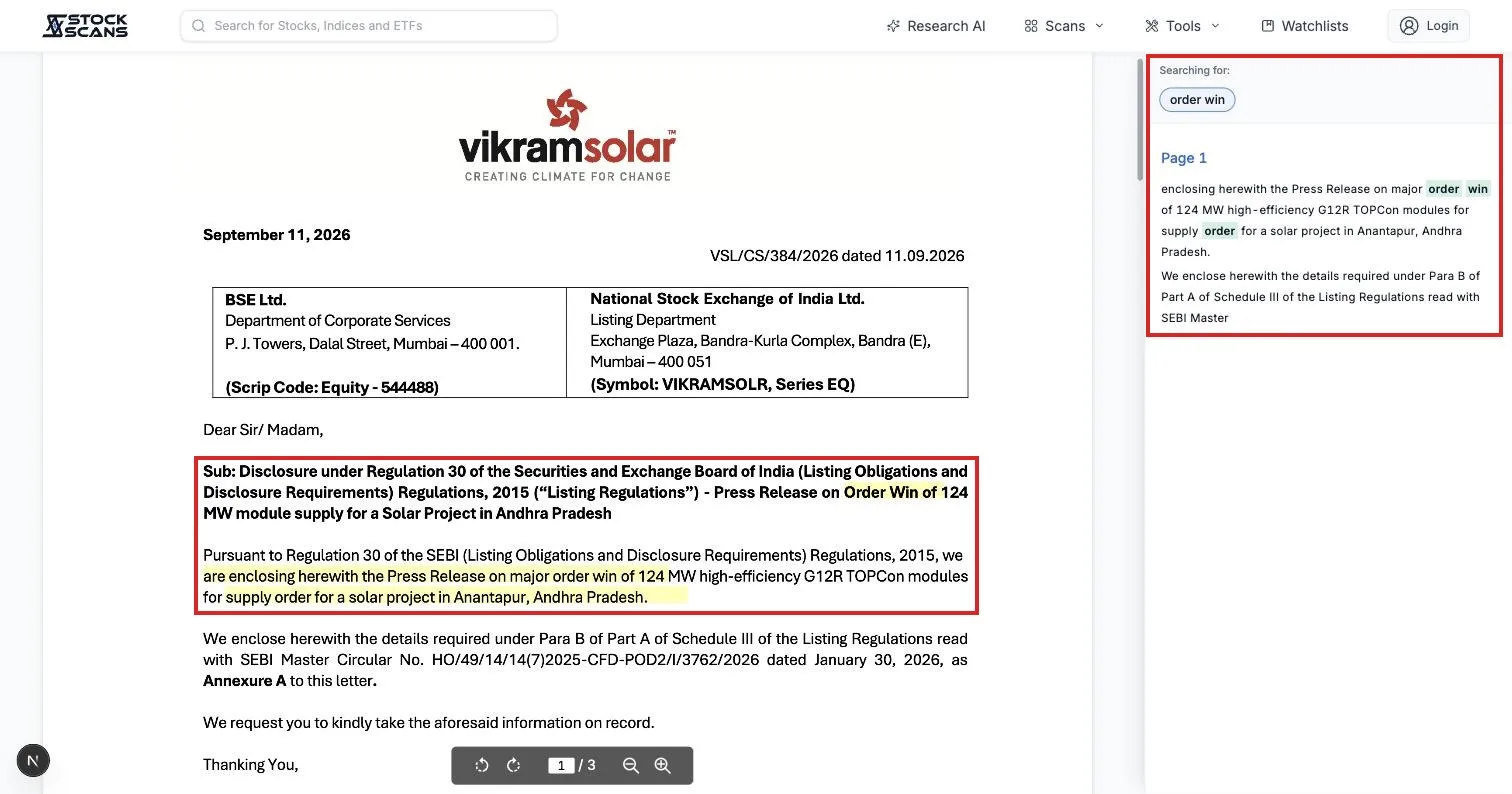
That is the core of it. You type what you are looking for. It shows you where companies said it.
If you do not know what to type
Most people get stuck here. You know you want "companies in trouble" or "companies expanding". You do not know how a company would write that in a filing.
Press Trending keywords. It is a library of the phrases companies actually use, sorted into groups: Orders & Wins, Growth Signals, Capital Raising, Accounting Red Flags, Distress & Turnaround, Defence, USFDA and regulatory, and more. Thirty-six groups, around 370 phrases.
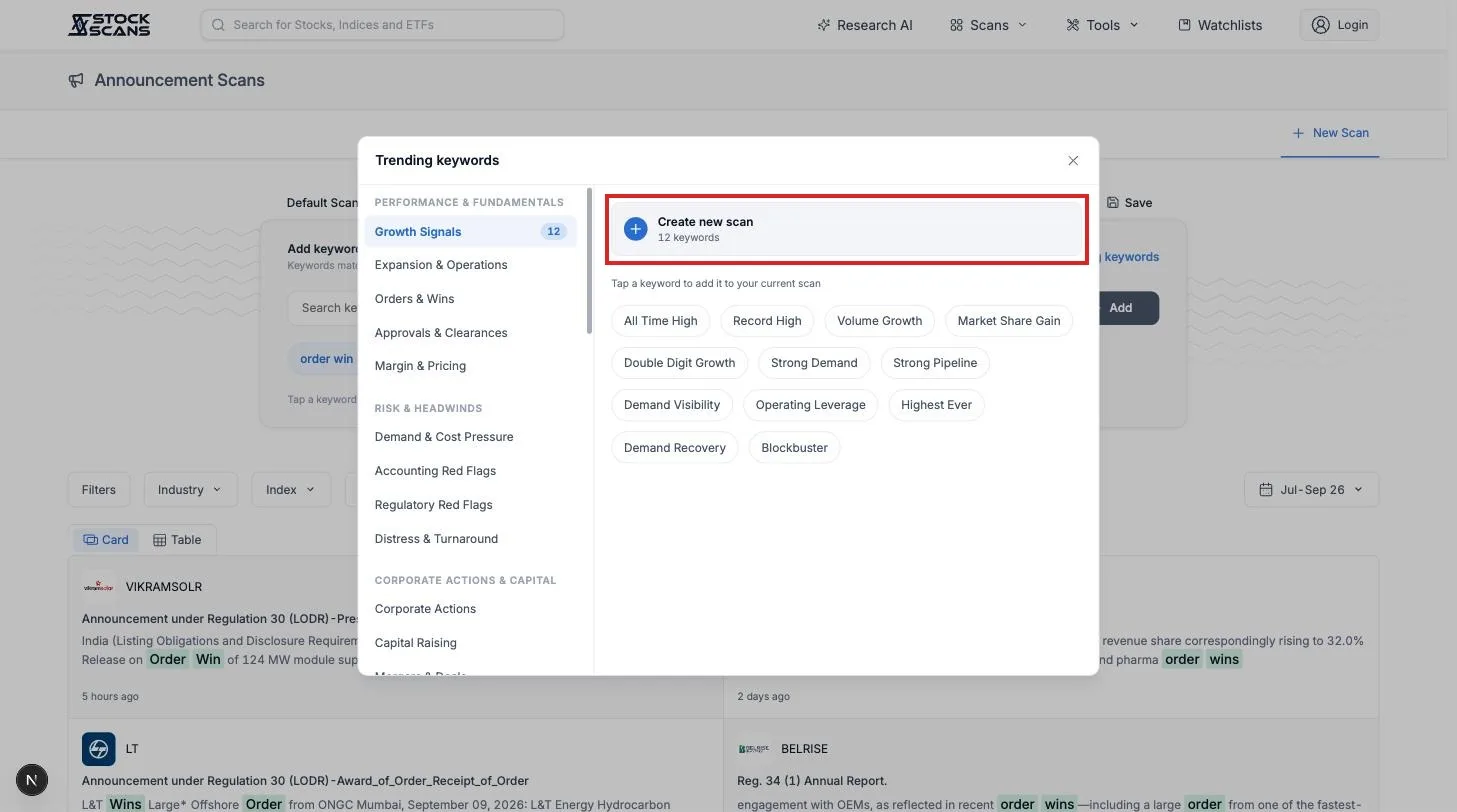
Tap any phrase to add it to your search. Or press Create new scan on a group to start with the whole set at once.
If you are new to this, start here. Pick one group that matches something you care about and see what comes back.
Titles versus documents
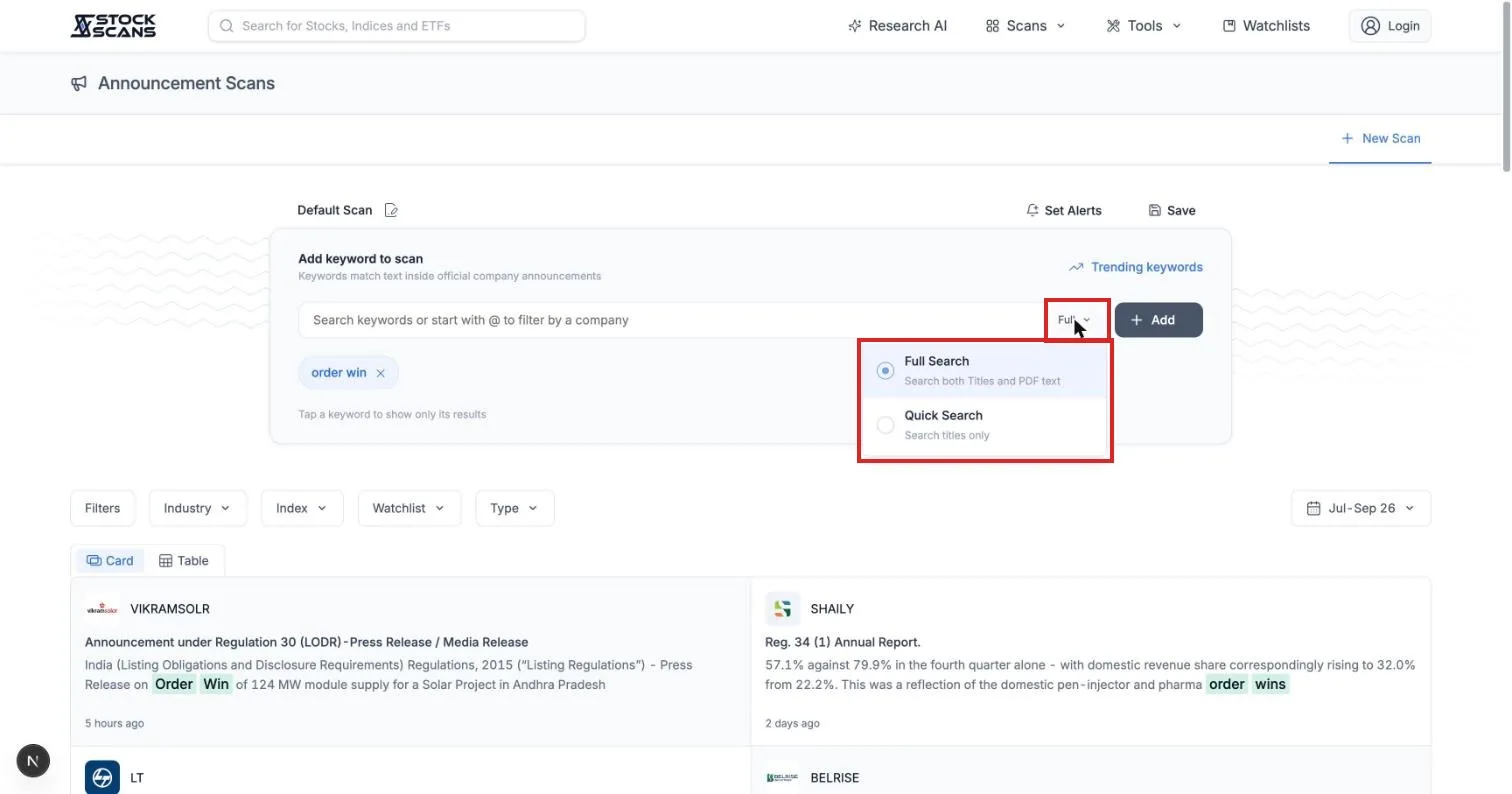
Next to the search box there is a small dropdown with two settings.
Full Search looks inside the whole document. Quick Search looks at titles only.
Leave it on Full. The news in a filing is almost always in the body, under a title that gives nothing away. Quick is there for when you want speed and the title is enough.
A few things about phrasing
You do not need every version of a word. order win also finds "order wins" and "won an order".
The words do not have to sit together. order win also finds "win of a large order". Near each other in one sentence is enough.
One document gives one result. If your phrase appears on ten pages of an annual report, you get one card, and the side panel takes you to each page.
Very common words like "company" or "share" are not allowed. They would match every filing there is.
You can have up to twelve phrases in one search. A filing shows up if it matches any of them. Tap a phrase above the results to see only its matches.
Making the list shorter
Your first search will probably return more than you want. order alone brings back hundreds of filings from a few hundred companies, because results presentations and annual reports mention orders too.
The row of buttons under the search box is how you narrow it.
Type limits results to one kind of filing. Set it to Orders / Contracts and the presentations drop away. The other types include Financial Results, Earnings Call, Annual Report, Fund Raising, Management Changes, Credit Rating and Insolvency / CIRP.
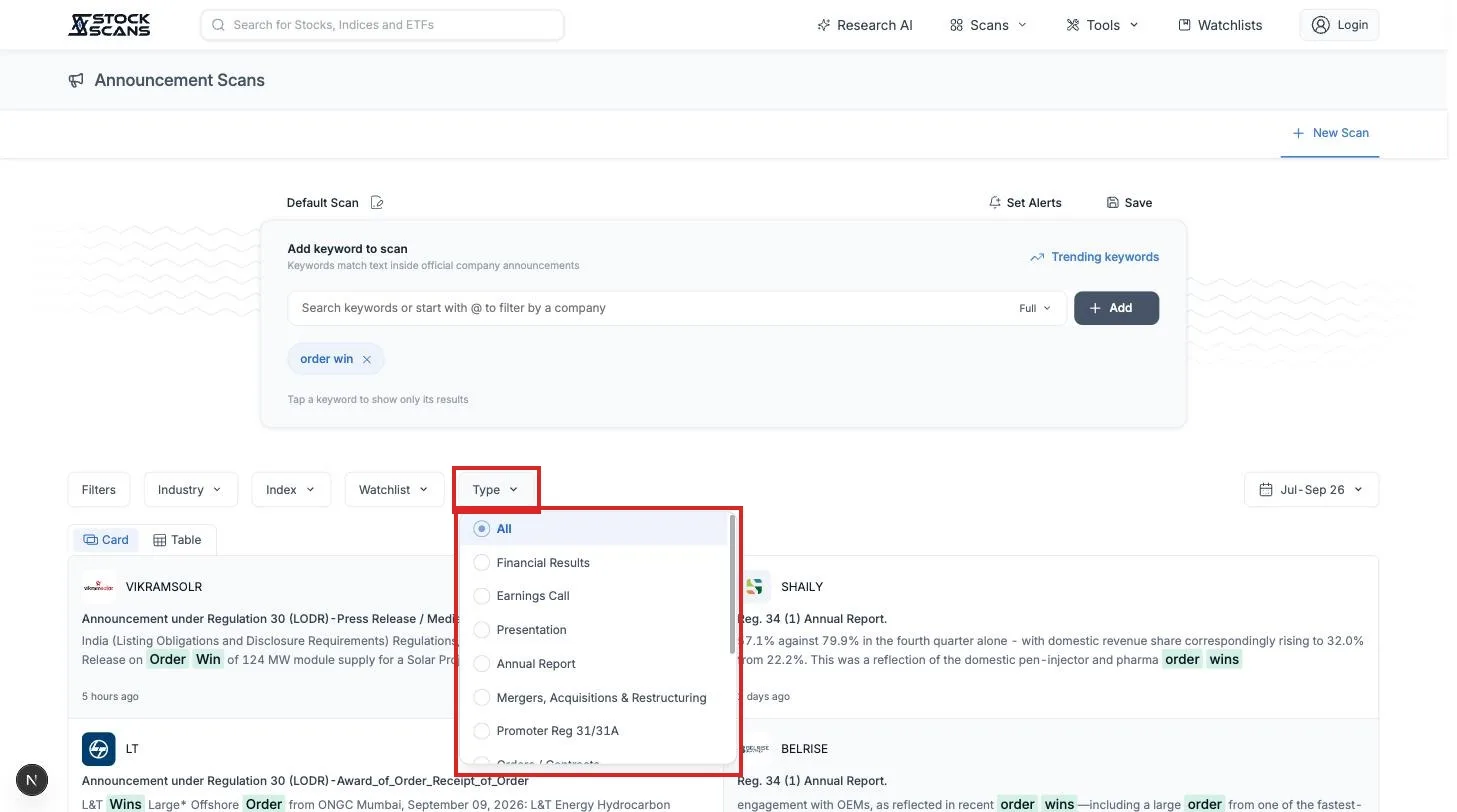
Industry, Index and Watchlist limit results to a set of companies. Only pharma. Only the Nifty 500. Only the stocks you hold.
Filters adds a number. Market cap above or below something, debt to equity under something. Useful when a phrase is big news for a small company and routine for a large one.
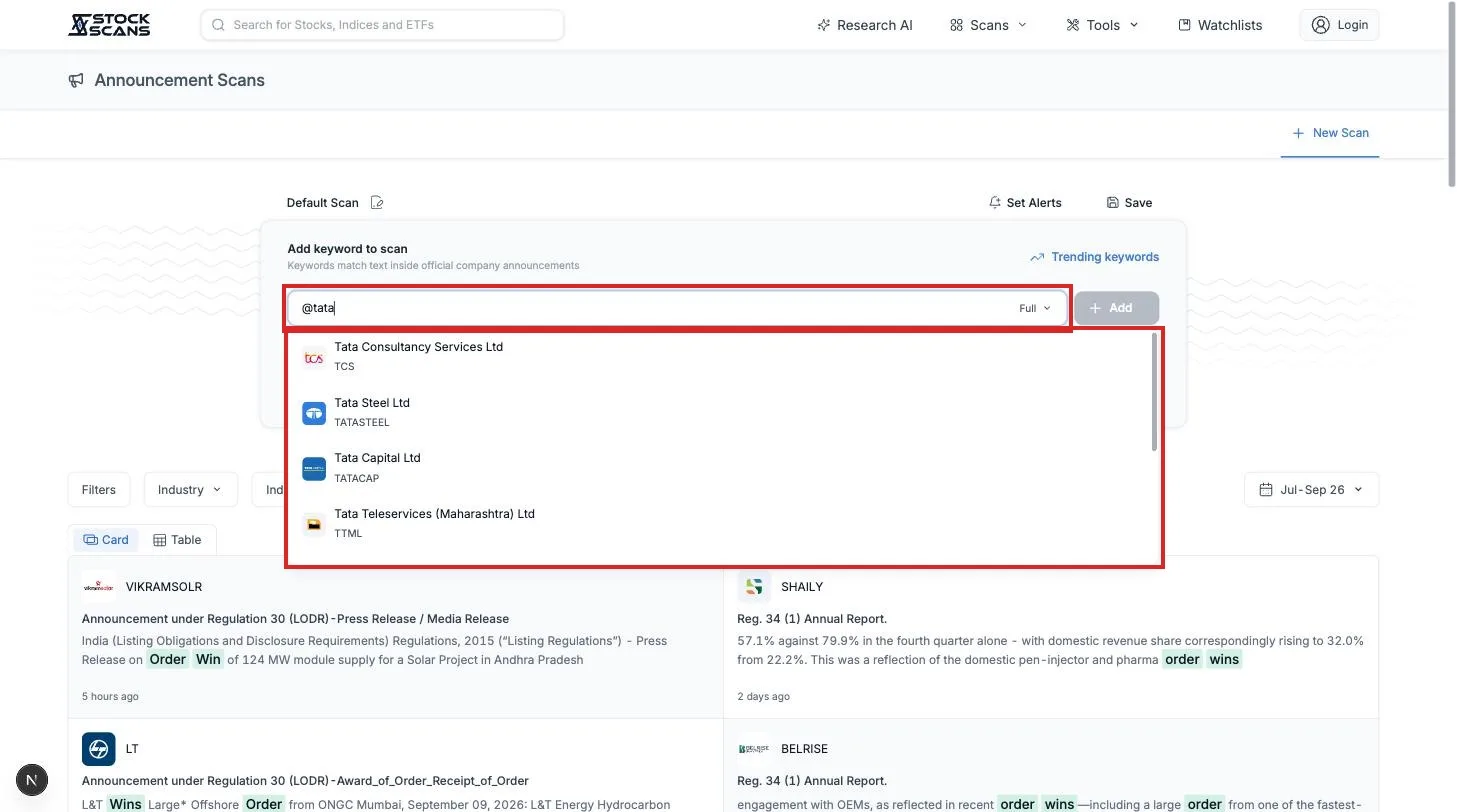
One company. Type @ followed by a company's name in the search box and pick it from the list. Now you are searching only that company's filings. Add a phrase and a date range, and you can see what it has said about a topic over the years.
Dates. The control on the right starts at the current quarter. Filings go back to April 2020, and you can look at any window of up to a year.
Counting instead of reading
Sometimes the question is not "what was filed" but "which companies keep filing this".
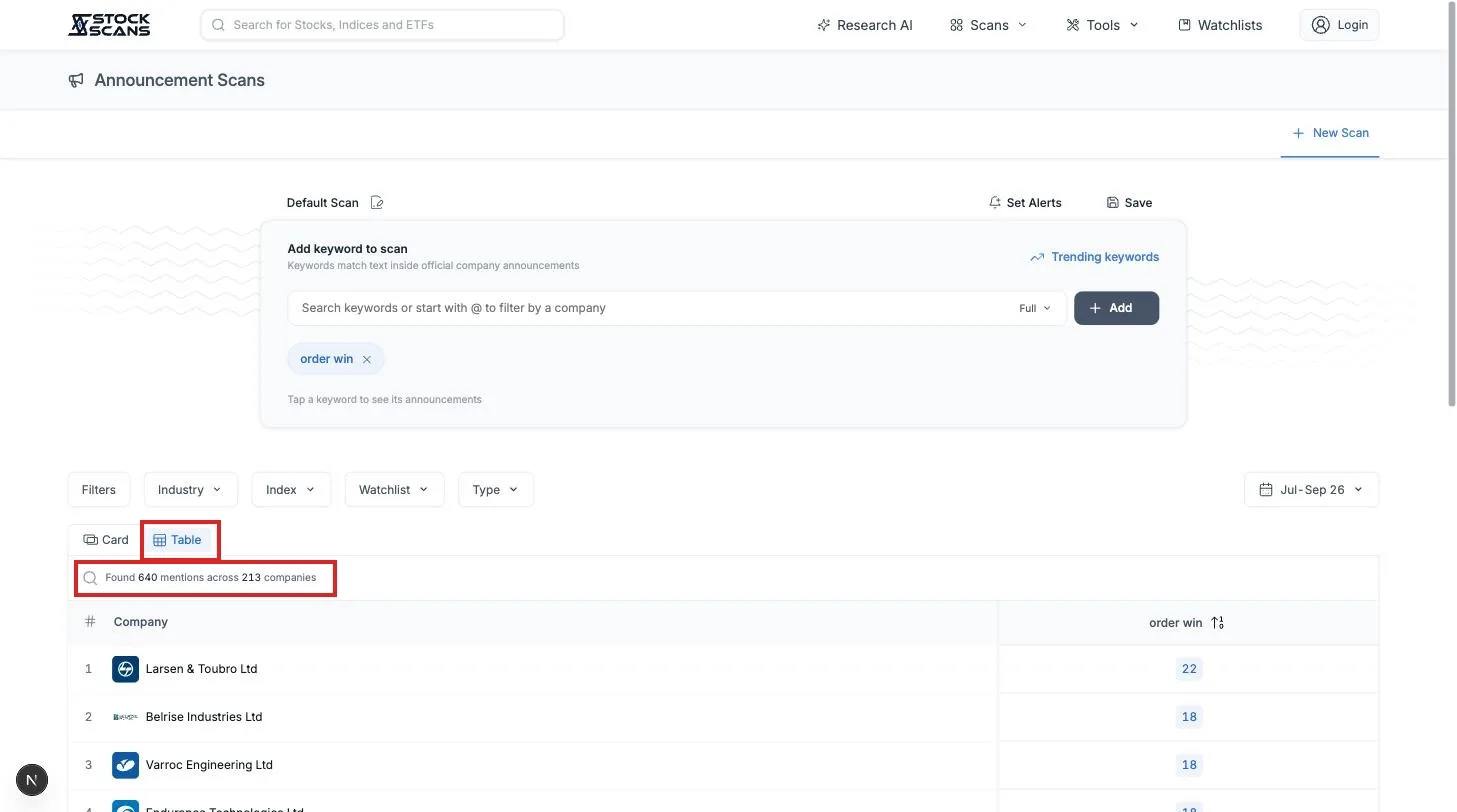
Above the results are two tabs. Card is the list you have been reading. Table turns the same results into a count per company, highest first.
Search order win, switch to Table, and you get a ranked list of which companies announced the most orders this quarter. Click a company to read its filings, or widen the range to all time.
Getting told instead of checking
Everything above is a search you run. The useful habit is a search that runs itself.
Press Save and give your search a name. It becomes a tab at the top of the page, and you can keep as many as your plan allows. Then press Set Alerts.
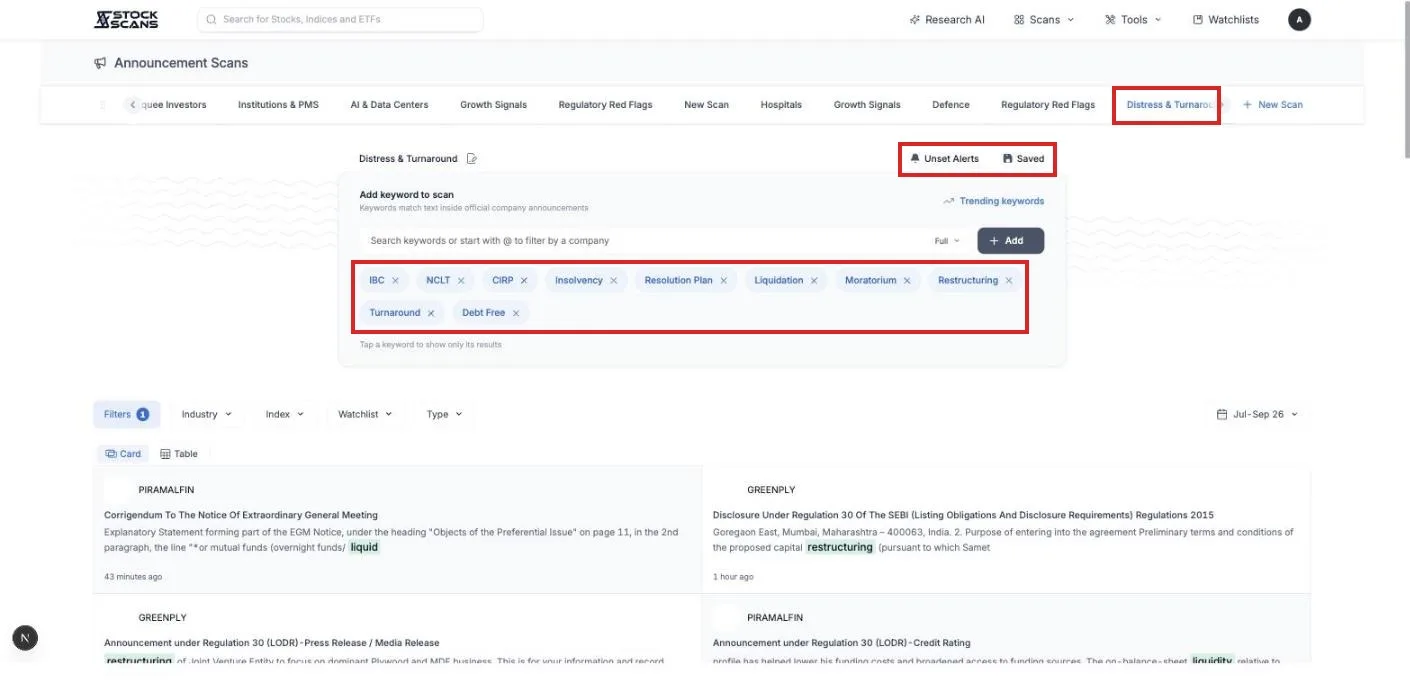
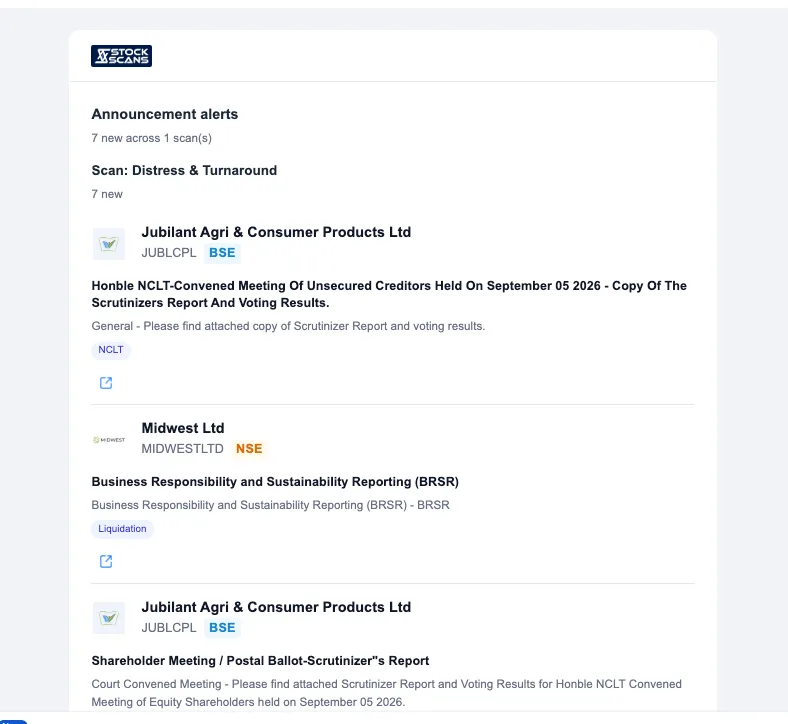
From then on, when a new filing matches, it is sent to you by email, Telegram or both, depending on your notification settings. Alerts arrive through the trading day, usually within minutes of the filing. Nothing is sent between 11 pm and 8 am.
Here is what one looks like. The scan, the number of new filings, and for each one the company, the headline, the phrase that matched, and a link to the document.
What is free
Everything you have read so far works without paying.
Search. Any phrase, across every filing, back to 2020.
Read. The full document, opened at the matching page.
Keyword library. All 36 groups and every phrase in them.
Card and Table. Both views, with a free account.
Save. One saved search, so you can come back to it.
Premium is for when one search is not enough. More saved searches, more phrases in each, alerts, and the Industry, Index and Watchlist filters to point them at exactly the companies you follow.
Three searches to start with
What your companies are saying. Save a search with no phrases at all, just your watchlist. Every filing from every company you hold, in one place. Turn on alerts.
Who is winning orders. order win, letter of award, work order, with Type set to Orders / Contracts.
Who is raising money. preferential allotment, QIP, rights issue. Who is raising, and at what price, is one of the most useful things a filing can tell you.
Set up one. Let it run for a week. The news will start finding you.
Comments