

Who owns a company is public
Every quarter, a listed company files its shareholding pattern. How much the promoters hold. How much foreign and domestic funds hold. And, by name, every shareholder who owns more than one percent.
Between those filings, three more streams of disclosure run every day. Bulk and block deals: large trades on the exchange, with the buyer and seller named. Insider trades: promoters, directors and their relatives buying or selling, which they must report. SAST filings: anyone crossing the five percent line, or a promoter changing their stake.
Put together, this is the closest thing the market has to a guest list. When a respected investor takes a new position, or a promoter starts adding shares, it is in these filings first.
The problem with reading them
The information is spread over 1,500 companies and four kinds of document. To know whether a particular investor bought anything this quarter, you would have to open every shareholding filing and search for their name. To know what promoters bought this week, you would read the exchange's daily deals list, line by line.
And investors do not hold in one name. A well-known individual might appear as themselves, through a family member, and through a private company. Miss an alias and you miss the position.
So most people learn about these moves from a tweet, days later, after the price has reacted.
Shareholding Scans searches all four streams by shareholder name at once, keeps the aliases for you, and can alert you within the hour when a matching deal is filed.
Start with a name
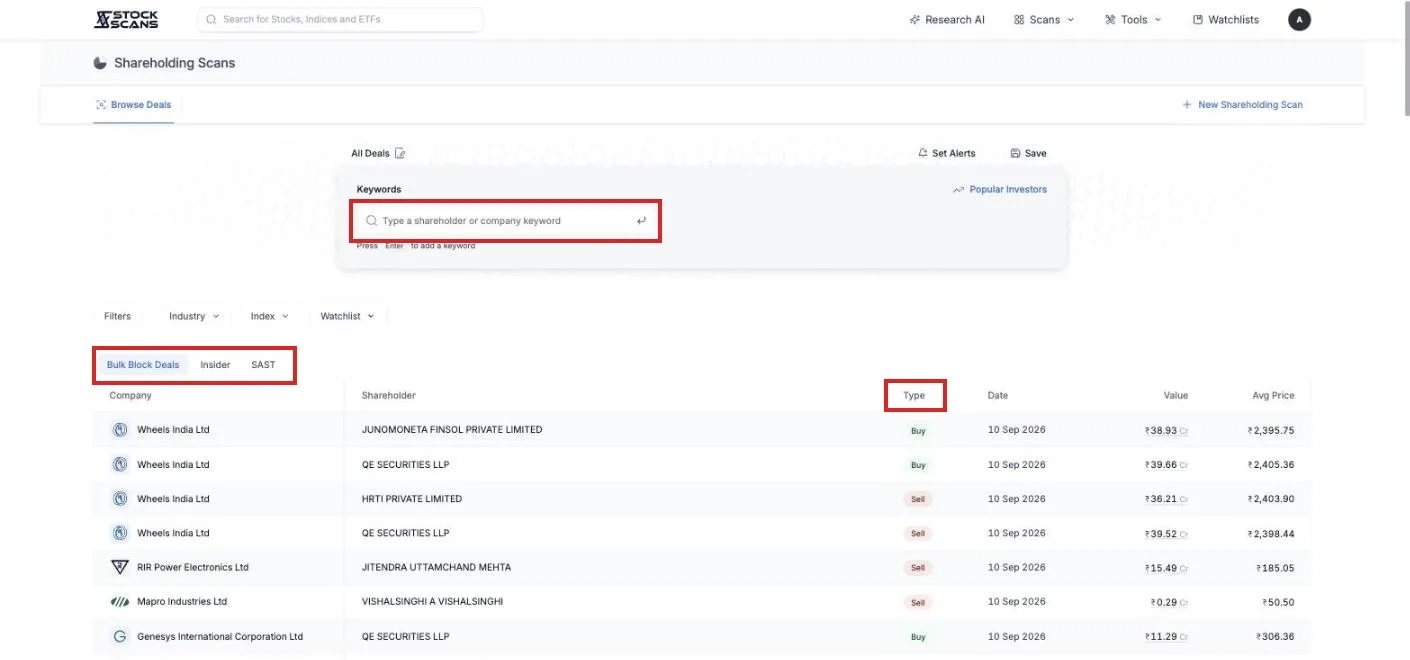
Open Scans in the top menu and choose Shareholding Scans. You need to be logged in.
The page opens on Browse Deals, a live list of bulk and block deals across the market. Above it sits a box labelled Keywords. Type a shareholder's name, for example kacholia, and press Enter.
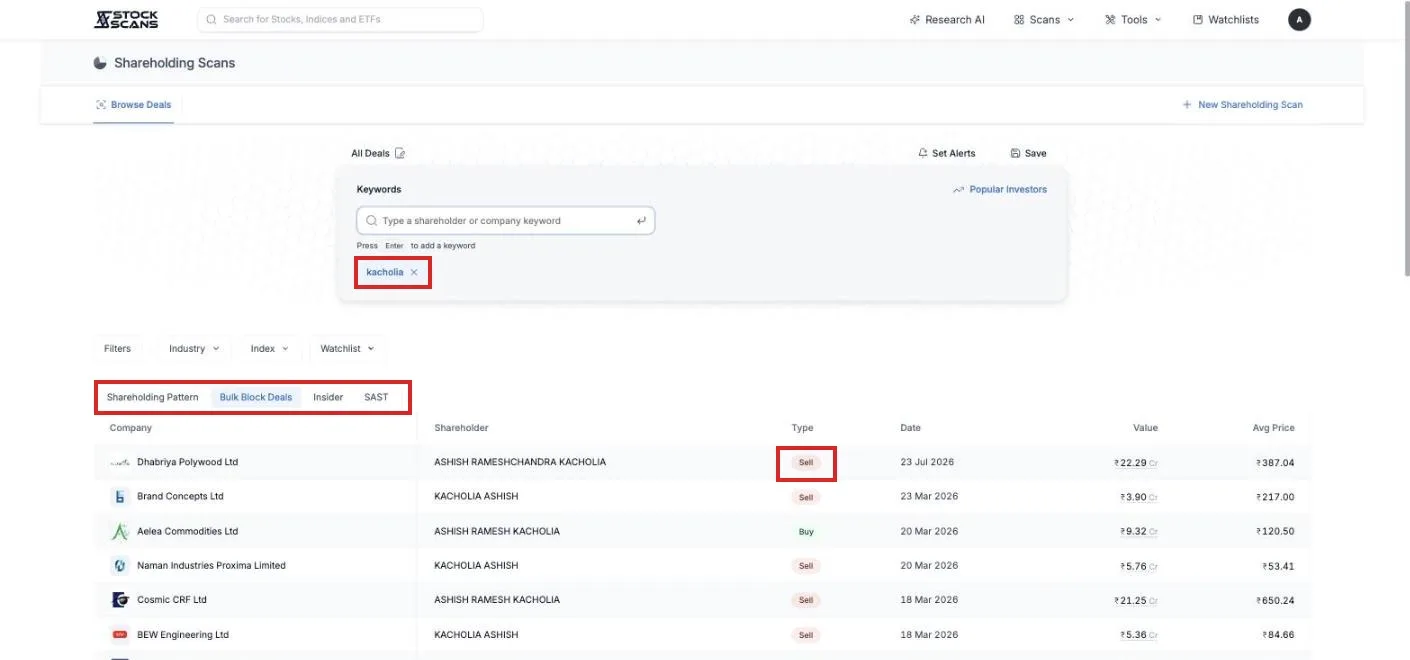
The list narrows to that shareholder's deals. Buys in green, sells in red, with the date, the value and the average price.
A fourth tab appears too, Shareholding Pattern. This is the quarterly view: every company where that name holds more than one percent, with the holding percentage for each of the last twelve quarters side by side. Rising across the row means they have been adding. A column going blank means they have dropped below one percent, or sold out.
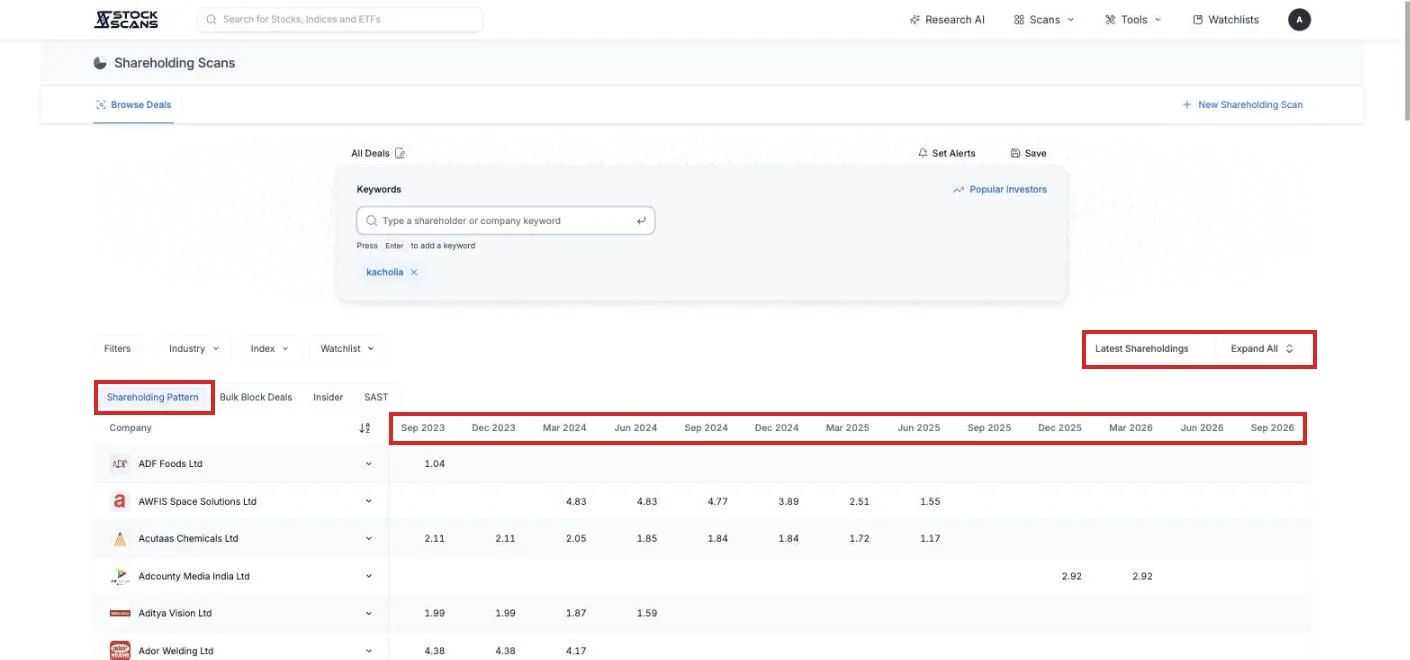
Click a company row and it expands to show the individual shareholder names that matched, in case the keyword caught more than one.
The other two deal tabs
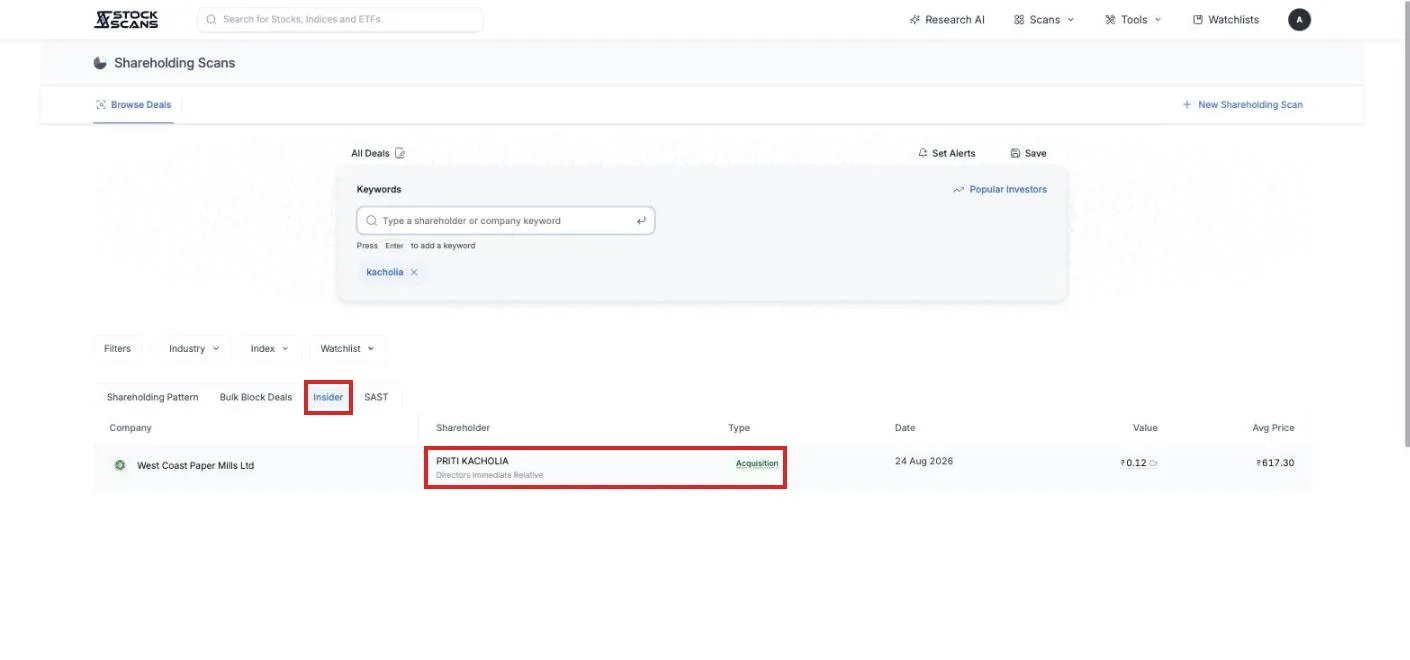
Insider lists trades that company insiders must report: promoters, directors, their relatives. Each row shows who, their relationship to the company, whether they acquired or disposed, and the value. A promoter buying in the open market with their own money is one of the more reliable signals there is, and this is where it shows.
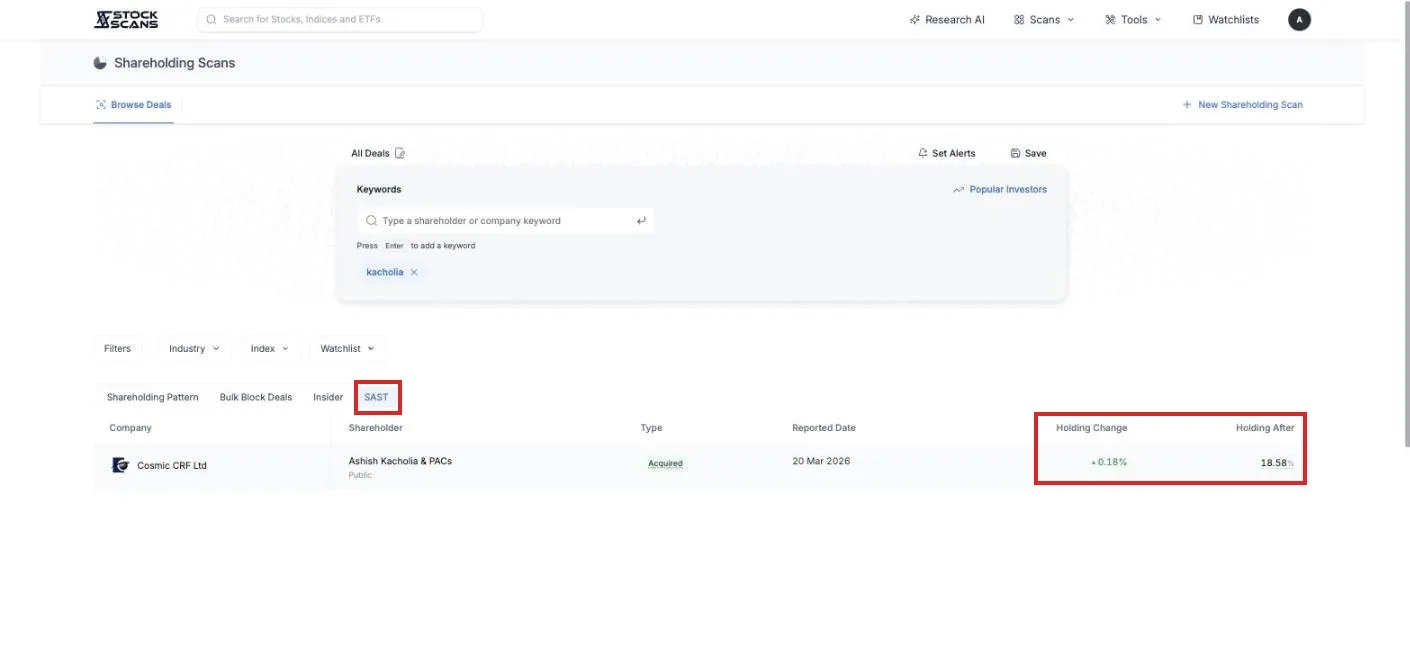
SAST lists the disclosures required when a holding crosses five percent, or when a promoter's stake changes. The row shows the change and the holding after, so "went from 18.4 to 18.6 percent" is read at a glance.
When you do not know the names
Press Popular Investors. It is a library of the shareholders people follow, sorted into groups: Superstar Investors, PMS and AIF, Mutual Funds, Insurance, Banks and Government, Foreign Funds. Over a hundred names.
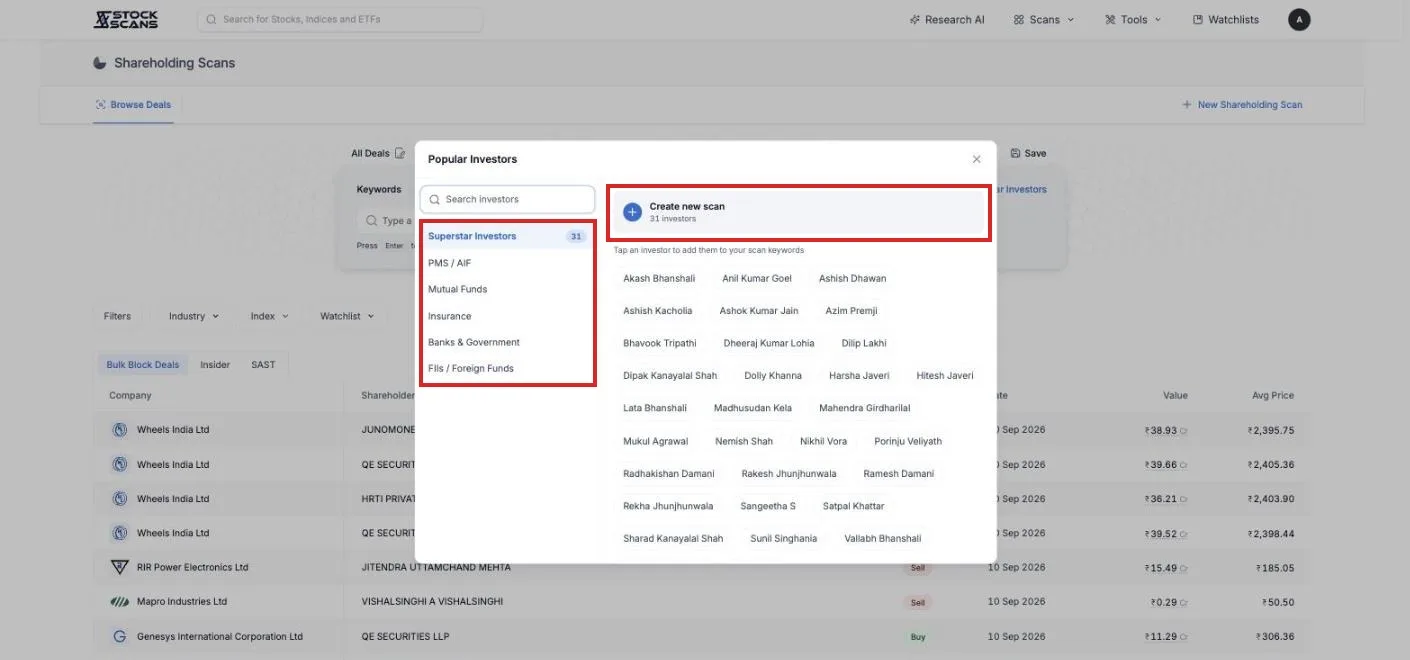
Tap an investor and every alias they hold under is added as a keyword at once, the personal name, the family names, the investment companies. That alias list is the part that is hard to build yourself, and it is why the library is worth using even for names you know.
Press Create new scan on a group and you have a scan that follows the whole group.
Narrowing to companies you care about
The keyword finds a shareholder. The buttons under it decide which companies the search runs over.
Industry, Index and Watchlist limit the companies. Filters opens the condition builder, and among its ratios are the holding numbers themselves: promoter holding, foreign and domestic institutional holding, pledged percentage, and the change in each over the last quarter or year.
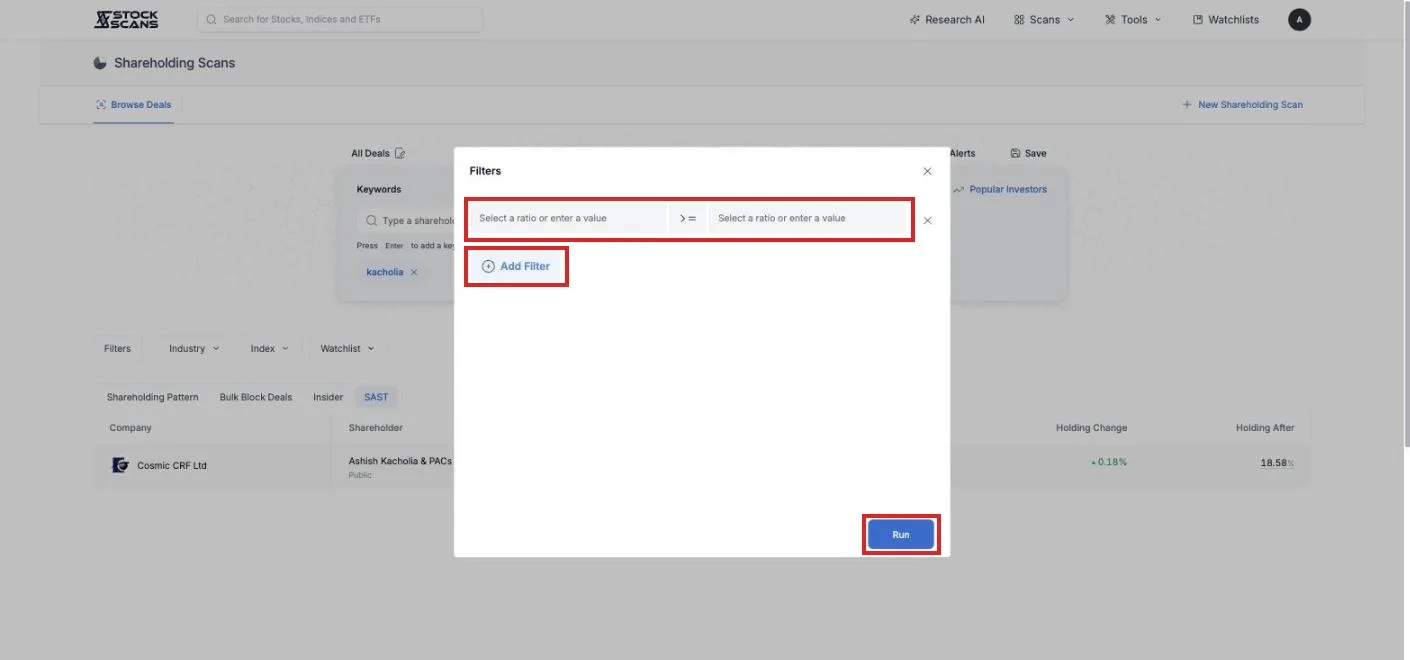
That combination is where it gets interesting. A keyword for a fund you respect, plus a filter for promoter holding rising in the last quarter, gives you companies where both the fund and the promoter are buying.
Save it and get told
Press Save, name the scan, and it becomes a tab on the left. Then press Set Alerts.
From then on, whenever a matching deal is filed, or a quarterly filing shows one of your keywords moving, one message arrives by email or Telegram with all of it together. Deals are checked every thirty minutes through the day, so a bulk deal filed at eleven is in your inbox before lunch.
What is free
Browse Deals. The full bulk and block deal stream, and the Insider and SAST tabs.
Keyword search. Any shareholder name, across all four tabs, with the Popular Investors library.
One saved scan with alerts, and one filter condition.
Premium allows five saved scans, unlimited filters, and the Industry, Index and Watchlist scopes. Premium Plus allows twenty.
Three scans to start with
One investor you trust. Their name from Popular Investors, saved, alerts on. You will know the day they file a new position.
Promoters buying. No keyword at all. Filter: change in promoter holding over the last quarter above zero. The Insider tab now shows only promoter purchases in companies where the promoter stake is actually rising.
Your own companies. Watchlist set to yours, no keyword. Every bulk deal, insider trade and SAST filing in the companies you hold, in one feed, with alerts.
The filings were always there. Now they come to you by name.
Comments